AIS Ident
Identification by account access: the user logs in to their own bank, the result confirms the account and matches the holder name
Universe: Umbrella
Status: beta
Credentials on request. Try it on the mock.
What it answers
The end user logs in to their own bank and gives a one-time, read-only consent. AIS Ident confirms that this person can access this account. IBAN and bank come from the bank itself, not from user input. When you send the name you expect, it is matched against the holder name returned by the bank, and the response carries a decision you can act on.
Typical moments: before accepting a SEPA mandate, before a payout, when a customer changes their bank account. Fully online, no video call, no test transfer. Read-only: no balances, no transactions, money is never moved. The login stays at the bank; no bank credentials are stored.
More than 1,000 connected banks in Germany (as of August 2026).
Flow
Bank selection -> Bank login -> Consent -> SCA -> Data retrieval -> Name match -> Result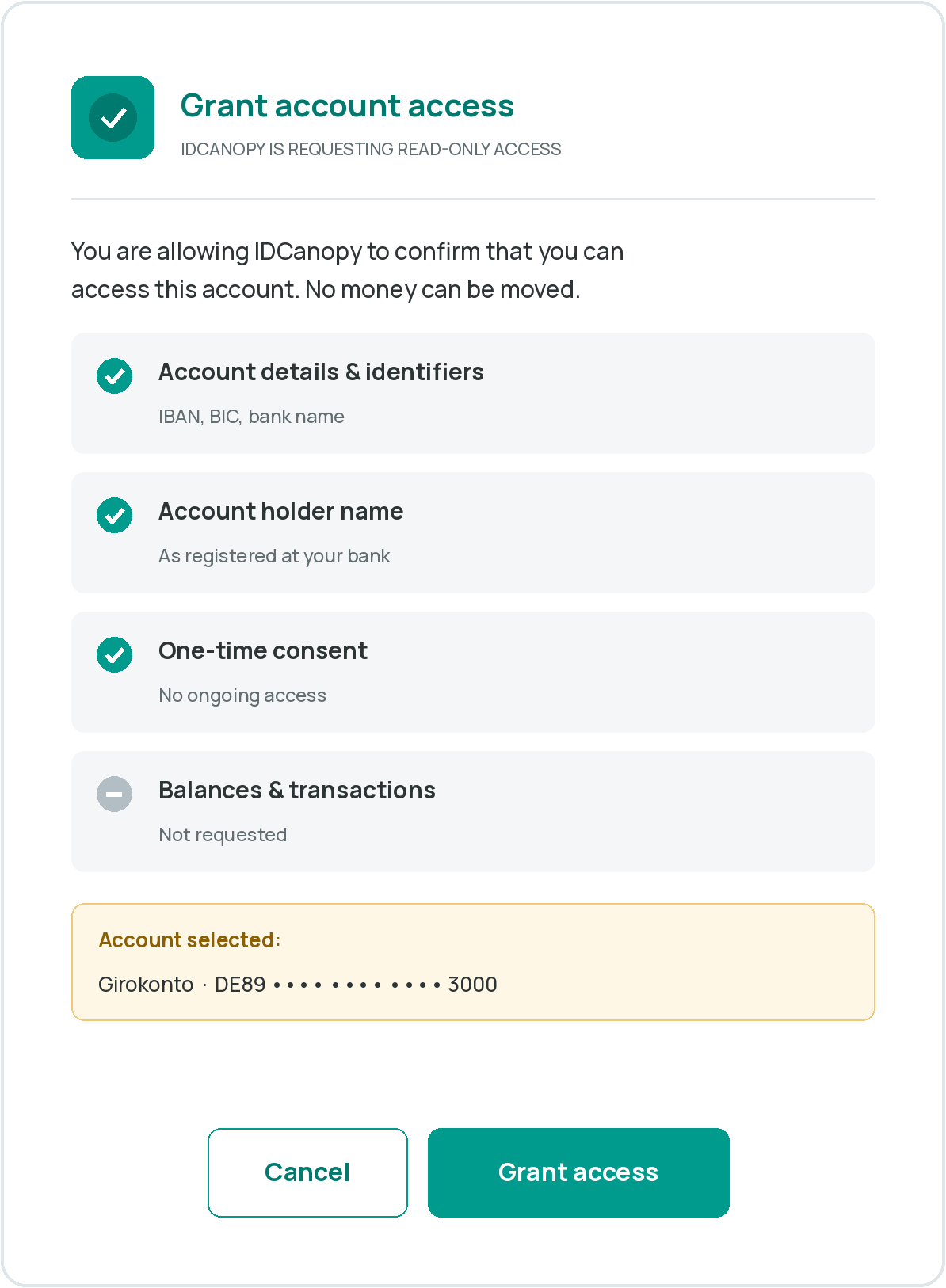
- Bank selection: the user picks their bank in the hosted flow (
countrypre-selects the country). - Bank login: the user logs in at their own bank, on the bank website or in the banking app.
- Consent: one-time, read-only consent to the account details.
- SCA: the user confirms the consent with strong customer authentication at the bank.
- Data retrieval: for the account the user selects: IBAN, BIC, bank name, holder name(s), account type and the user's role on the account, as returned by the bank.
- Name match: the expected name is matched against every returned holder (typos, transliterations, reordered name parts).
- Result:
account,nameMatch,ibanMatch,decision,xs2aReferenceand anauditTrail, viaPOST /ais/statusand the webhook.
Output
| Output | Request | Contains |
|---|---|---|
| PII output (default) | returnPii: true | xs2aReference, IBAN, BIC, bank name, account holder name(s), match result, decision, audit trail |
| Standard output | returnPii: false | xs2aReference, match result, IBAN match, decision, audit trail. No personal data. |
Name matching: nameMatchLogic: fuzzy (default) handles typos, transliterations and reordered name
parts and can return CLOSE_MATCH; exact returns only MATCH or NO_MATCH. Joint accounts: the
expected name is matched against every holder.
The holder name is not guaranteed. Some banks return no holder name. Then nameMatch.result is
NOT_AVAILABLE and the decision is REVIEW, never CONFIRMED.
Integration in four calls
Base URLs are in Environments.
1. Authenticate
curl -X POST "$UMBRELLA_BASE_URL/auth" \
  -H "Api-Key: $UMBRELLA_API_KEY" \
  -H "Customer-Id: $UMBRELLA_CUSTOMER_ID" \
  -H "Content-Type: application/x-www-form-urlencoded"
2. Start a session
curl -X POST "$UMBRELLA_BASE_URL/ais/initiate" \
  -H "Authorization: Bearer $ACCESS_TOKEN" \
  -H "Content-Type: application/json" \
  -d '{
    "referenceId": "onboarding-000123",
    "returnUrl": "https://example.com/onboarding/return",
    "expectedName": { "firstName": "Erika", "lastName": "Mustermann" },
    "webhookUrl": "https://example.com/webhooks/ais"
  }'
3. Redirect the user
Send the user to redirectUrl. The session is valid for 30 minutes (expiresAt). The user returns to
your returnUrl whether they finished, cancelled or failed.
4. Read the result
curl -X POST "$UMBRELLA_BASE_URL/ais/status" \
  -H "Authorization: Bearer $ACCESS_TOKEN" \
  -H "Content-Type: application/json" \
  -d '{ "referenceId": "onboarding-000123" }'
Or receive the same object on your webhookUrl when the session reaches a final status.
Decision
decision | When |
|---|---|
CONFIRMED | Session completed, and the name and IBAN match where you supplied them. |
REVIEW | Close name match, or you sent a name and the bank returned none (nameMatch.result: NOT_AVAILABLE). |
NOT_CONFIRMED | No name match, IBAN mismatch, or the session ended without account data. |
Status and reasons
status | Meaning |
|---|---|
PENDING | The user is still in the flow. |
COMPLETED | Account data retrieved; see account, nameMatch, decision. |
ABORTED | The user left the flow; see statusReason. |
EXPIRED | The 30-minute session ran out. |
FAILED | Bank or technical failure; see statusReason. |
statusReason: USER_CANCELLED, CONSENT_DENIED, SCA_FAILED, BANK_NOT_SUPPORTED,
BANK_UNAVAILABLE, TIMEOUT.
Errors
| Status | Meaning |
|---|---|
400 | Invalid request payload, for example a missing required field. |
401 | The bearer token is missing, invalid or expired. |
403 | The authenticated customer does not have access to this product. |
404 | Unknown referenceId (status call). |
429 | Too many requests. |
500 | Unexpected server issue. |
503 / 504 | Temporarily unavailable or gateway timeout. Retry later. |
Same error schemas as the rest of the Umbrella API.
Try it
Clickable demo: a fictional merchant starts the hosted flow with six test banks (holder, joint
account, business account, no holder name, authorised user, bank down). Any login works; the test TAN is
123456.
Mock in the reference: in the Umbrella API reference,
choose the server Mock. POST /ais/status answers with a canned result; add ?scenario= to pick
another one:
scenario | Result |
|---|---|
| (none) | COMPLETED, MATCH, CONFIRMED |
review | COMPLETED, CLOSE_MATCH, REVIEW |
standard-output | COMPLETED with returnPii: false, no personal data |
pending | PENDING |
aborted | ABORTED, USER_CANCELLED |